


Langla: AI Language Tutor
4.676.00 Reviews
App Specs
- Version
- 1.0.70
- Updated On
- License
- Free
- Downloads
- 5,000,000+
- Developer
- Aquaworld Infotech
- Categories
- Education
- Platform
- Android
Screenshots
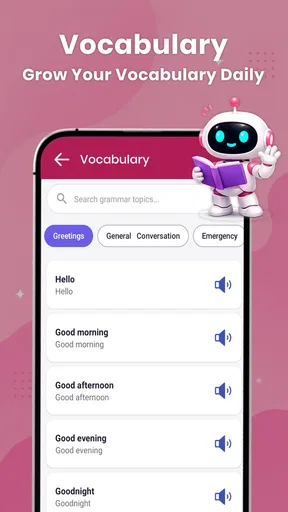
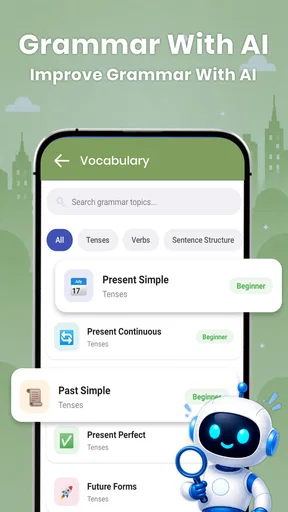
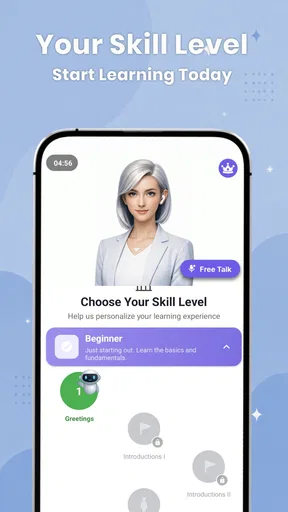
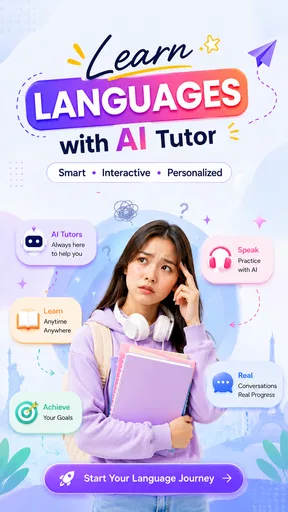
 Analysis by AppCompare
When I’m trying to learn a language, the hardest part is often not finding another explanation of a grammar rule; it’s finding a low-pressure way to use the language before I feel ready. Langla: AI Language Tutor is built around that practical gap. Its central appeal is an AI tutor you can chat with, supported by translation, grammar help, and vocabulary tools. I see it as a way to turn small pockets of free time into practice, not as a complete replacement for a course or a conversation with a fluent speaker.
That distinction matters. A chat tutor can help me form sentences, ask what a phrase means, and keep a study session moving without the social pressure of making mistakes in front of someone. But useful practice depends on how actively I use it: copying translations without trying to understand them is easy, and it is also an easy way to learn less than I think I am.
Why a chat tutor changes the practice routine
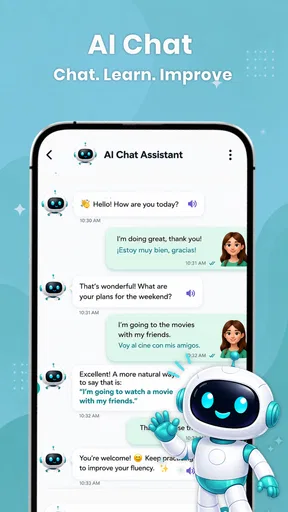
Language study often separates tasks: one place for word meanings, another for grammar, and a person or class for speaking practice. Langla’s appeal is that I can begin with a sentence or question and use conversational practice as the thread connecting those needs. I don’t have to wait until I have mastered a rule before trying to express an idea; I can attempt it, notice where I’m uncertain, and use the available help to keep going.
That makes it especially useful for learners who freeze when they need to produce a sentence from scratch. A private exchange gives me room to test an imperfect version, revise it, and try a similar thought. The key is to treat the tutor as a place to practise, rather than as an answer machine. The useful shift is from asking only “What does this mean?” to asking “Can I use this idea myself?”
Conversation is the feature to build around
I find the chat works best when I give it a small, practical job rather than treating it as an open-ended study session. That makes it easier to notice what I can already express and where I need help, while keeping the exchange focused enough to reuse afterward. The next section looks at how I’d turn that idea into a repeatable routine.
Practice that starts with a sentence
Langla is an education app from Aquaworld Infotech. Rather than treating language learning as only a sequence of reference materials, it puts conversational practice at the center and brings translation, grammar, and vocabulary into the same learning setting. That combination makes the app most interesting when I have a specific thing to say or understand, rather than when I am looking for a fully planned lesson.
For example, I can try writing a short message in the language I’m learning, then use the available help to understand where I went wrong or what a word means. The important habit is to attempt the sentence first. If I translate every thought before trying to express it myself, the app can become a crutch; if I use translation to check a guess, it becomes a useful bridge between recognition and production.
Worth Reading Before You Choose

Flipboard Shows What News Apps Must Do Beyond the Feed

Switching to Android Auto Means Rethinking Your Driving Routine

Google Calendar Makes a Crowded Week Easier to Manage

Ludo King Makes the Most of the Minutes Between Plans

Baby Panda World Brings Quick Play to Modern Phones, but Its Game Library Feels Busy

ESPN’s Live Game View Makes Following Close Games Easier
The strongest reason to try Langla is the chance to practise producing language in a private, repeatable setting. That is different from simply reading a vocabulary list. A list can help me recognize words, but a conversation gives me a reason to choose one, put it in an order, and see whether the result communicates what I intended.
Use the supporting tools as a loop
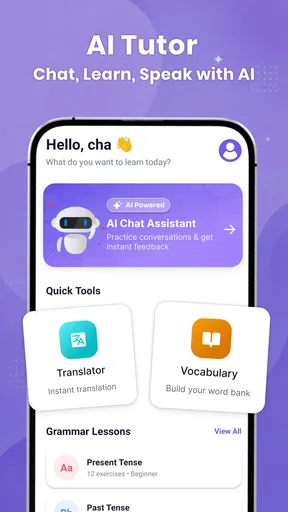
The translator, grammar assistance, and vocabulary support make more sense as parts of one routine than as separate attractions. I would start with a short exchange, pause when a phrase confuses me, check the meaning or grammar, and then write a fresh example using the point I just learned. That last step is easy to skip, but it is what turns a quick answer into active practice.
A useful trick is to keep the first prompt narrow. Instead of asking for a broad explanation of a whole tense, I would bring in one sentence I actually want to say. A focused question is easier to apply immediately, and it reduces the temptation to collect explanations without remembering them. When a correction appears, I would also try changing the sentence myself rather than merely rereading the corrected version.
This approach is especially handy for vocabulary that is familiar in isolation but hard to retrieve in context. I might recognize a word while reading and still fail to use it in a message. Trying it in a new sentence after checking its meaning gives me a small retrieval exercise. It is not a substitute for spaced review or a structured syllabus, but it makes the app’s mix of tools more purposeful.
A realistic everyday use
Imagine I have a few minutes before sending a message to a friend, colleague, or host in another language. I can draft a simple greeting or question in that language, use the tutor to work through a word or grammatical snag, and then write the message again in my own words. This is a better fit for Langla than handing it a long document and expecting a polished, context-perfect translation.
The same routine works after a lesson elsewhere. I can take one phrase I struggled with and practise using it in a short exchange, then check the grammar when I get stuck. That makes Langla a practical companion to a textbook, class, or other learning app: the other resource can provide a sequence and explanation, while this app can give me a place to try forming language. I would still verify important or sensitive wording with a reliable human source, because conversational assistance should not be treated as a guarantee of nuance.
For travel preparation, I would use it to rehearse basic situations I expect to encounter, such as asking a simple question or responding politely. I would keep those practice exchanges short and focus on phrases I am likely to remember under pressure. It can help me feel less hesitant, but it should not be my only preparation for situations where an error could have serious consequences.
Make each short session easier to remember
A small change to the routine can make these quick exchanges more useful: finish by closing the help and reconstructing the final sentence from memory. If I can’t, I can identify the exact word or word order I’m still relying on and try once more. This takes the session beyond recognition, where an explanation looks clear, and tests whether I can retrieve the language myself.
I would also avoid switching topics every time I hit a difficult phrase. If I am practising how to make a polite request, I can try a few related versions before moving to something unrelated. That gives me a chance to notice which parts stay stable and which need to change. It is a practical way to add repetition without turning a flexible chat into a long, rigid lesson.
Where it fits among language-learning options
Compared with a flashcard app, Langla’s chat-led approach is more useful for trying to assemble thoughts, while cards are generally better suited to repeated recall of a fixed set of words. Compared with a conventional course, a flexible tutor can respond to what I want to ask in the moment, but that freedom may leave me responsible for deciding what to study next. If I need a carefully staged curriculum, regular assessment, or a teacher who can explain the cultural context behind an expression, a class or structured course is the stronger choice.
It also differs from using a general translator alone. A translator is convenient when I only need a quick rendering; a learning-oriented workflow has more value when I use the result to notice a pattern and then practise it myself. The trade-off is that chat-based help can invite passive use. I would not judge progress by how many explanations I have read. I would judge it by whether I can produce a similar sentence later without asking for the same help again.
In practical terms, that means keeping a small personal note of phrases I had to look up, then returning to them in a new sentence. This is a simple workaround for a common weakness of on-demand learning: answers can feel obvious while they are on screen and disappear once the conversation moves on. A little deliberate reuse makes each session more valuable without assuming the app will organize every learner’s study plan.
Questions I would settle before making it a habit
If I’m wondering whether it can replace a class, my answer is no—not for someone who needs a sequenced curriculum and regular human feedback. I’d use it alongside a course or lessons, especially for trying out phrases between sessions. If the main question is whether it can help with a specific message, I’d use it to explore wording and learn from the process, but I would not treat its answer as automatically safe for a sensitive or consequential exchange.
For a learner starting from scratch, I’d keep expectations modest and bring simple, concrete questions rather than expecting the chat to decide a complete learning path. For someone who already knows basic vocabulary, it may be easier to turn the conversation into productive practice because there is more language to build on. Either way, the best test is whether I leave with a sentence I can reproduce or adapt—not merely a page of explanations I enjoyed reading.
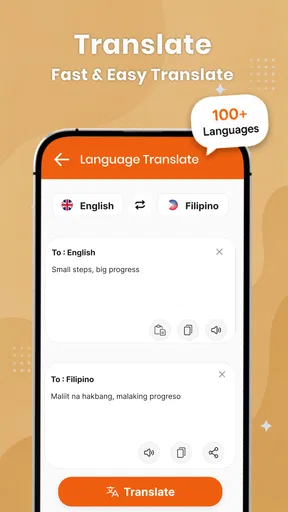
It is also worth deciding what role a translator should play before opening the app. If I use it only after making my own attempt, it can help me compare and learn. If I ask for every sentence first, convenience takes over and I get fewer chances to retrieve words. That difference is not a technical setting; it comes down to the habit I bring to the tool.
Limits worth knowing before relying on it
AI conversation is not the same as conversation with a person. A human speaker can bring lived context, notice subtle misunderstandings, and respond naturally to social cues. An AI tutor can make practice feel more accessible, but I would be cautious about treating every suggested phrase as the only correct or most natural choice, particularly for slang, regional expressions, humor, or formal situations.
Another trade-off is that open-ended chat requires some self-direction. If I sit down without a goal, I may spend time asking scattered questions and leave without practising anything deeply. I get more out of a session when I choose one task—such as introducing myself, asking for directions, or rewriting a sentence—and stop once I can handle it more confidently. Learners who prefer lessons planned from beginner level onward may find a dedicated course easier to follow.
The app is free to install, but it also offers in-app purchases priced from $9.49 to $229.99 per item. I would check the purchase details in the app before committing and decide whether the learning routine is working for me first. A paid option only makes sense if its terms and features match what I want; the presence of purchases does not change the basic advice to test the free experience against a clear, small learning goal.
Who is most likely to benefit
I think Langla suits learners who already have some words or grammar to work with and want more chances to use them without worrying about holding up a class or conversation partner. It can also help a beginner who wants to ask immediate, concrete questions, provided they are comfortable setting their own direction. People who learn by trying, checking, and trying again are likely to get more from its chat-and-support combination than someone who only wants to browse explanations.
I would skip it as a primary learning method if I needed a firm course plan, expert feedback on high-stakes writing, or dependable cultural guidance for a delicate conversation. I would also avoid using it as a shortcut around practice: asking for a finished translation can solve the immediate task while leaving my own speaking and writing ability unchanged. For those needs, a qualified teacher, structured course, or trusted human reviewer is a better match.
Langla has an average rating of 4.6 from around 15,000 ratings, and it has been installed over 5 million times. It is rated for Everyone, runs on Android 8.0 or later, and its current version is 1.0.70. Those details make it a widely used, accessible option for compatible Android devices, though popularity alone cannot tell me whether its learning style fits my habits.
My overall recommendation is to treat Langla as a practice partner for short, purposeful exchanges. Start by writing something yourself, use its language help to understand a sticking point, and then try again without leaning on the same answer. If that loop helps you move from recognizing phrases to actually forming them, the app has a clear place in your study routine. If you want a teacher-led plan or polished translation you can rely on without checking, another kind of resource will serve you better.
Pros
- Offers AI-powered conversation practice for more interactive language learning.
- Lets learners practice at their own pace
- without scheduling live lessons.
- Can help build confidence before speaking with people in real-world settings.
- Suitable for short practice sessions that fit into a daily routine.
- Provides a private space to make mistakes and try again.
Cons
- AI conversations may not always sound natural or reflect everyday speech.
- Feedback can miss nuance in pronunciation
- grammar
- or word choice.
- It cannot fully replace the cultural insight of a human tutor.
- The learning experience may depend on a stable internet connection.
- Some features or practice time may be limited by the app’s pricing plan.
FAQs for Langla: AI Language Tutor
What is Langla: AI Language Tutor?
Langla: AI Language Tutor is a language-learning app built around practice with artificial intelligence. Depending on the features available in your version, it may help you work on skills such as conversation, vocabulary, pronunciation, or grammar. Before downloading, check the app listing for supported languages and learning tools, since availability can vary by platform, region, and app update.
Which languages can I learn with Langla?
The languages available in Langla may depend on the current app version and your device’s region. Review the language list on the Google Play or App Store page before installing, and check whether the language you want is offered for both lessons and AI conversation practice. Also confirm the supported interface language, as it may differ from the languages you can study.
Is Langla: AI Language Tutor free to use?
The app may be free to download while some lessons, practice features, or usage limits require a subscription or in-app purchase. Pricing and trial offers can change, so consult the store listing and the app’s payment screen before committing. If you start a trial, note its renewal date and cancellation instructions to avoid an unexpected charge.
Does Langla replace a teacher or structured language course?
Langla can provide convenient practice and feedback, but an AI tutor should not automatically be treated as a complete substitute for a qualified teacher or a carefully structured course. AI feedback can sometimes be incomplete or inaccurate, particularly for subtle grammar and pronunciation questions. For best results, use it as one part of a routine that includes listening, reading, and real conversation.
What should I know about privacy before using Langla?
Because an AI language tutor may process text or voice that you submit, check Langla’s privacy policy and the permissions requested during setup. Find out whether conversations or recordings are stored, how they may be used, and whether you can delete your data. Avoid sharing passwords, financial details, or other sensitive personal information in practice conversations.


